Sovereign Tower Faction Balance Tracker Tool
Log court standing with every major faction while you reign
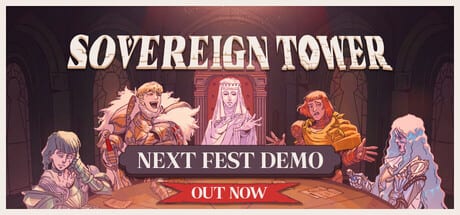
Sovereign Tower asks you to rule a kingdom where Merchants, Mystics, Scholars, Nobles, and the People remember every slight. Wild Wits ties audience answers and quest outcomes to those groups; IGN’s preview notes that even throwing tax gold at problems shifts standing quietly until a favor comes due. The Faction Balance Tracker on this wiki gives you a scratchpad for those shifts during demo Act 0 and Act 1 runs — especially when Demon time rewinds blur which promise you made three cycles ago.
Read the Faction Guide first for narrative context on each group. Use this tool during play sessions; return to the guide when you need story consequences, not just numbers.
Factions the tracker follows
The widget mirrors in-game language surfaced in marketing and preview coverage:
- Merchants — trade policy, tolls, and treasury-heavy audience choices.
- Mystics — Witch annex storylines, arcane quests, and superstition-flavored errand outcomes.
- Scholars — lore hunts, relic recovery, and Wit-forward Round Table lines.
- Nobles — court etiquette, Dragon Knight politics, and prestige assignments.
- The People — everyday subjects, goose grievances, and public morale.
Some UI strings also track Treasury alongside faction bars because gold and standing interact — bribing Merchants spends taxes the forge needed. The tracker lets you annotate both.
How to use the interactive tracker
- Start a new run or demo chapter and open the embed below.
- After each audience decision, nudge the affected faction up or down based on dialogue cues.
- Update again when Round Table results mention public praise, Noble scorn, or Merchant profit.
- Note treasury swings when you choose between infrastructure bribes and Consumables purchases.
- Hit reset when you Demon rewind to a checkpoint if you want a clean timeline — see Time Rewind Explained for loop etiquette.
The tracker is manual by design. It does not parse save files; you remain the sovereign recording court history.
Track standing with Merchants, Mystics, Scholars, Nobles, and the People during a run.
Pairing tracker data with guides
Numbers alone do not explain why Nobles turn hostile. Cross-reference:
- Faction Guide — quest and audience triggers per group.
- Quest Success Tips — assignments that double-hit stats and standing.
- Knight Quest Matcher — when a perfect stat knight angers the wrong faction.
- Items Overview — spending choices that starve Merchants or please the People.
Example: funding Carina’s Forge instead of a bridge may boost long-term quest success while angering People-facing knights like Angelica’s supporters. Log both effects.
Demo scenarios worth tracking
Early Act 0 audiences — Tutorial choices teach that every answer has a beneficiary. Start the tracker immediately so habits stick.
Bathhouse Goose arc — People standing spikes; Merchants may care if bathhouse trade stalls. Mark both before assigning knights.
Dragon Knight politics — Nobles watch how you outfit knights and whether you accept Arron’s training arc. Tier list guides are useless if Nobles block annex upgrades.
Demon rewind experiments — Snapshot faction rows before rewinding so you compare timelines when hunting secret knights on Secret Knights.
Limits and accuracy
Faction math in the demo is inferred from player notes and preview articles, not leaked developer spreadsheets. Curve Games may rebalance standing gains before the August 6, 2026 solo Steam launch on Windows, Linux, and SteamOS.
When a patch lands, read Updates Hub and reset tracker defaults if wiki labels change. Mystics in UI copy may map to arcane story beats tied to the Witch annex even when the in-game bar uses a slightly different name — prioritize consistency with Faction Guide over old screenshots.
Related tools and hubs
- Tools Hub — Quest Matcher and future planners.
- Round Table — where faction outcomes follow assignments.
- How to Play — daily loop order for logging standing.
- Updates Hub — patch notes affecting faction tuning.
Treat the tracker like a council ledger: honest notes make rewinds productive instead of guesswork.
Frequently Asked Questions
Quick answers to the most common questions.
Does the Faction Tracker read my save file?
No. You adjust values manually after audiences and quests. It is a fan wiki scratchpad, not an official Wild Wits or Curve Games companion app.
Which factions appear in Sovereign Tower?
The demo emphasizes Merchants, Mystics, Scholars, Nobles, and the People. Full details and story triggers live in the [Faction Guide](/guides/factions/).
Should I reset the tracker after a Demon rewind?
Reset if you want a clean sheet for the new timeline. Keep values if you are comparing outcomes across loops — see [Time Rewind Explained](/guides/time-rewind/).
Why track treasury on a faction tool?
Tax spending affects Merchants and quest gear purchases simultaneously. Logging treasury beside faction bars helps explain why a rich reign still angers the People.